
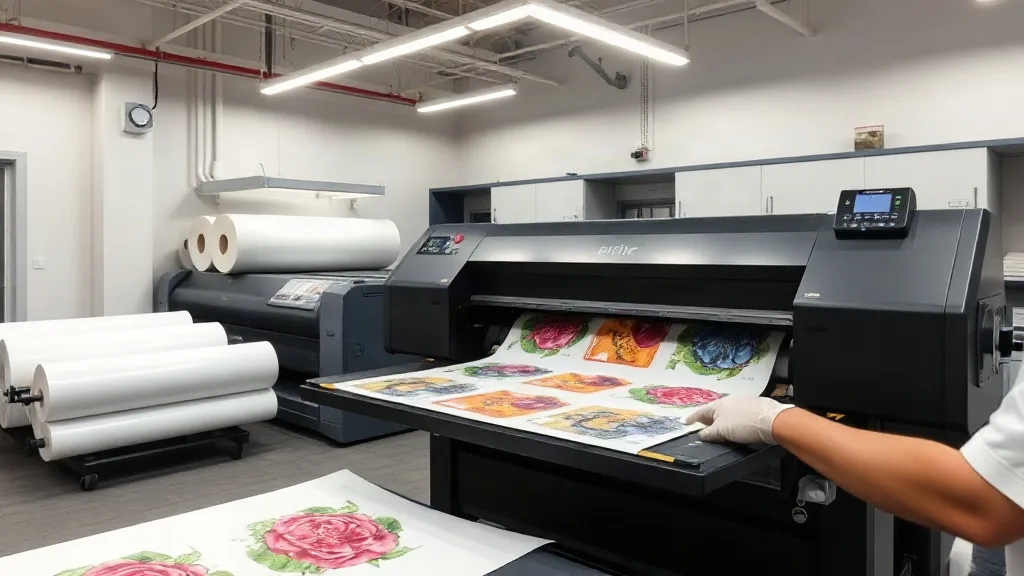
When you're producing custom apparel in any volume, efficiency isn't just a nice-to-have—it's the difference between profit and loss. Every minute spent swapping sheets, aligning designs, or trimming wasted material eats into your margins. That's where the DTF Gangsheet comes in. By grouping multiple designs onto a single transfer film, DTF gangsheets let you print, press, and ship more orders in less time, without sacrificing quality. In this guide, we'll break down exactly what a DTF gangsheet is, why it's a game-changer for small and large shops alike, and how to make the most of it in your own workflow.
What Is a DTF Gangsheet?
A DTF gangsheet is a single sheet of transfer film that holds multiple DTF (Direct-to-Film) prints arranged together. Instead of printing each design individually, you gang them up—hence the name—onto one large film. This approach maximizes the use of the film and ink, reduces setup time, and simplifies the pressing process. Whether you're producing a batch of team jerseys, a run of promotional t-shirts, or a mix of sizes for an event, a gangsheet lets you handle everything in one go.
The Basics of DTF Printing
Before diving deeper into gangsheets, let's quickly recap DTF printing. DTF involves printing your design onto a special film using pigment-based inks, applying a hot-melt adhesive powder, and then curing the powder. The resulting transfer can be pressed onto almost any fabric—cotton, polyester, blends, even nylon—with excellent durability and vibrant colors. Because it doesn't require pre-treatment or weeding, DTF is faster and more versatile than vinyl or screen printing for short runs.
How Gangsheets Fit In
Gangsheets take the efficiency of DTF a step further. By arranging multiple designs on one sheet, you minimize waste and maximize throughput. Imagine you have ten different t-shirt designs, each needed in five sizes. Instead of printing fifty separate sheets, you can gang all fifty designs onto a few large sheets, press them in one continuous workflow, and be done in a fraction of the time.
Why Use a DTF Gangsheet?
Still on the fence? Here are the key benefits that make DTF gangsheets a smart choice for any print shop.
- Cost savings: By using film and ink more efficiently, you reduce material waste and lower your cost per print.
- Time efficiency: Fewer setups mean faster production. You can print multiple designs in one pass, cutting down on manual labor.
- Consistency: Gangsheets ensure that all designs on the sheet are printed under the same conditions, leading to uniform quality across the batch.
- Scalability: Whether you need ten transfers or a thousand, gangsheets scale with your order volume without requiring major changes to your process.
- Versatility: You can mix and match designs, sizes, and even different fabrics on the same sheet, giving you flexibility for custom orders.
How to Create a DTF Gangsheet
Creating a gangsheet is straightforward if you follow a few best practices. Here's a step-by-step overview.
1. Design and Layout
Start by collecting all the designs you need to print. Use design software to arrange them on a canvas that matches the size of your DTF film. Leave a small gap between designs (about 0.25 inches) to allow for cutting. Group similar colors together to optimize ink usage, and consider the orientation of each design to minimize film waste.
2. Printing
Load the film into your DTF printer and send the gangsheet file. Ensure your printer is calibrated and the ink levels are sufficient. Print at the highest quality setting your printer allows to get crisp details and vibrant colors.
3. Powder Application
While the ink is still wet, apply the hot-melt adhesive powder evenly over the printed area. Shake off excess powder and cure the sheet according to your powder's instructions—typically using a heat press or a curing oven.
4. Pressing
Once cured, your gangsheet is ready to press. Cut out individual designs and press them onto garments using a heat press at the recommended temperature and pressure. Because all designs on the sheet share the same ink and powder, you can expect consistent results across the board.
Best Practices for DTF Gangsheets
To get the most out of your gangsheets, keep these tips in mind.
- Plan your layout: Use nesting software or manually arrange designs to minimize empty space. Rotate designs if necessary to fit more on a sheet.
- Group by color: If your printer uses CMYK+W inks, grouping designs with similar color profiles can reduce ink consumption.
- Test your powder: Different powders have different curing requirements. Always follow the manufacturer's guidelines to avoid under- or over-curing.
- Store properly: Keep unused gangsheets in a cool, dry place away from direct sunlight to prevent the adhesive from degrading.
- Mind the edges: Leave a margin around the sheet edges to prevent ink from spilling over during printing.
Common Mistakes to Avoid
Even experienced printers can slip up. Watch out for these common pitfalls.
- Overcrowding: Cramming too many designs onto a sheet can lead to cutting errors and wasted material. Leave enough space for clean cuts.
- Inconsistent powder application: Too much powder can cause a rough texture; too little can lead to poor adhesion. Aim for an even, thin layer.
- Ignoring printer maintenance: A clogged printhead can ruin an entire gangsheet. Regular cleaning and maintenance are essential.
- Using the wrong film: Not all DTF films are created equal. Choose a film that matches your printer and powder for best results.
DTF Gangsheet vs. Other Printing Methods
How does gangsheet DTF stack up against alternatives like screen printing or vinyl? Here's a quick comparison.
- Screen printing: Better for large, single-design orders, but setup costs and time make it less efficient for small batches or multi-design runs.
- Vinyl: Ideal for simple one-color designs, but weeding is time-consuming and not suitable for complex artwork.
- DTF gangsheets: Shine in short to medium runs with multiple designs, offering fast turnaround, vibrant colors, and no weeding.
Frequently Asked Questions
What is the maximum size for a DTF gangsheet?
Gangsheet size is limited by your printer's maximum print width, which is typically 13, 17, or 24 inches for desktop models, and up to 60 inches for industrial printers. You can gang designs up to that width, and the length is limited only by the film roll.
Can I mix different fabric types on one gangsheet?
Absolutely. DTF transfers adhere to cotton, polyester, blends, and more. You can press different designs onto different fabrics from the same gangsheet, making it perfect for mixed orders.
How do I store unused DTF gangsheets?
Keep them in a cool, dry place, away from direct sunlight and moisture. Store them flat or rolled loosely to prevent creasing. Properly stored, they can last for several months.
Do I need a special printer for DTF gangsheets?
You need a DTF printer that uses pigment inks and is designed for film printing. Many modified inkjet printers work, but dedicated DTF printers offer better reliability and color consistency.
What is the cost savings of using gangsheets?
Savings vary based on your design mix and printer efficiency, but by reducing film waste and setup time, many shops report a 20-30% reduction in material costs and significant time savings.
Ready to streamline your production? Explore our range of DTF supplies and start creating your own gangsheets today.