
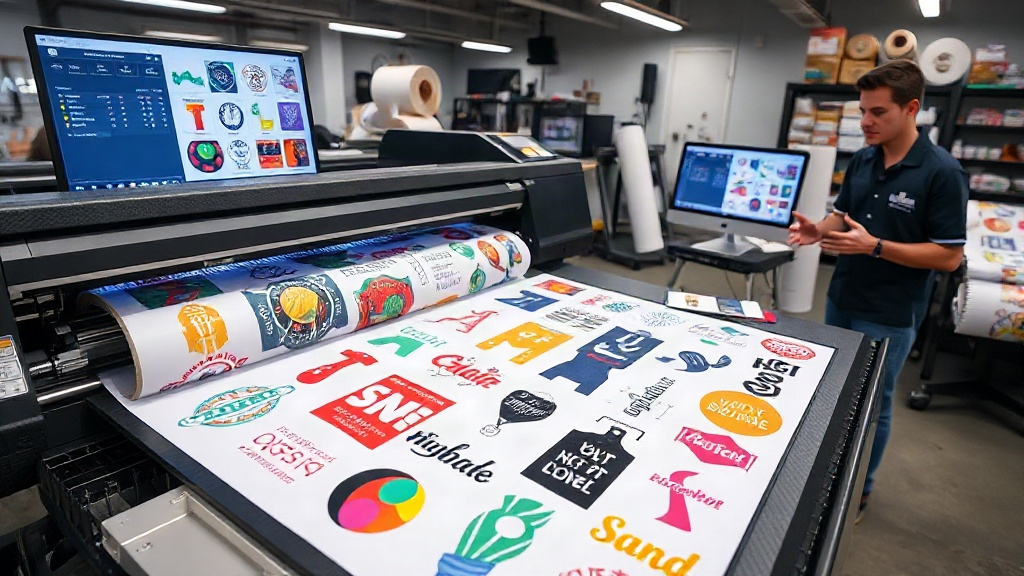
If you run a print shop or create custom apparel, you know that efficiency and cost control are everything. DTF printing has revolutionized the industry by allowing vibrant, detailed transfers without the hassle of weeding or masking. But to truly unlock its potential, you need a smart way to arrange your designs on a film sheet. That's where a DTF gangsheet builder comes in. This tool lets you combine multiple designs into a single sheet, maximizing your printer's output and slashing material waste. In this guide, we'll explore how a gangsheet builder works, why it's a game-changer, and how to use it like a pro.
What Is a DTF Gangsheet Builder?
A DTF gangsheet builder is software that helps you arrange multiple DTF transfer designs onto a single large film sheet, often called a gangsheet. Instead of printing one design per sheet, you nest them together like a puzzle, filling every inch of the film. This approach minimizes wasted space and reduces the cost per transfer. Most builders are web-based, allowing you to upload your artwork, set dimensions, and drag and drop designs until the sheet is optimally packed. Some advanced tools even auto-arrange your designs using algorithms to achieve the highest density possible.
Why Use a Gangsheet Builder?
The primary benefit is cost savings. DTF film and ink are expensive, so the more designs you fit on a sheet, the lower your cost per print. A gangsheet builder also saves time: you print once instead of multiple times, and you handle one sheet during the curing and pressing stages. Plus, it reduces waste, which is better for the environment and your bottom line. For businesses that offer custom apparel, the ability to gang multiple customer orders onto one sheet means faster turnaround and happier clients.
How to Choose the Right DTF Gangsheet Builder
Not all gangsheet builders are created equal. When evaluating options, consider these factors:
- Ease of use: Look for an intuitive interface that lets you upload, resize, and arrange designs quickly. Drag-and-drop functionality is a must.
- Auto-nesting: Advanced builders use algorithms to automatically arrange designs for maximum density. This saves you from manual Tetris.
- Compatibility: Ensure the builder supports your printer's film size (e.g., 13", 17", 22") and can export in the required format (usually PDF or PNG).
- Cost: Some builders are free with limited features; others charge a subscription. Calculate ROI based on your monthly film usage.
- Integration: If you use e-commerce platforms, a builder that integrates with your order system can further streamline your workflow.
Top Features to Look For
Beyond the basics, the best builders offer features like:
- Real-time preview of ink usage and film area.
- Ability to add crop marks and registration marks.
- Support for multiple file formats (AI, EPS, PNG, JPG).
- Cloud storage for your designs and gangsheets.
- Collaboration tools for teams.
Step-by-Step: Using a DTF Gangsheet Builder
Here's a typical workflow to create an optimized gangsheet:
- Upload your designs: Start by uploading all the DTF transfer files you need to print. Most builders accept common formats like PNG with transparent backgrounds.
- Set your sheet size: Choose the film width and length you'll be using. Common widths are 13", 17", and 22". Length can be customized to fit your printer's capabilities.
- Arrange designs: Drag and drop each design onto the sheet. Rotate and resize as needed. If the builder has auto-nesting, let it do the heavy lifting.
- Optimize spacing: Leave a small gap between designs (usually 0.1-0.2 inches) for easy cutting. Avoid overlapping.
- Check ink coverage: Some builders estimate ink usage. If you're printing white underbase, ensure it's applied correctly.
- Export and print: Once satisfied, export the gangsheet as a high-resolution file (300 DPI minimum) and send it to your DTF printer.
Pro Tips for Maximizing Your Gangsheet
Experienced DTF printers share these insights:
- Group similar colors together to reduce ink changes if your printer supports spot colors.
- Place smaller designs in gaps between larger ones to fill every inch.
- Use the builder's ruler and grid to align designs precisely.
- Save your gangsheet templates for recurring orders to save time.
- Regularly update your builder software to access new features and improvements.
Common Mistakes to Avoid
Even with a good builder, avoid these pitfalls:
- Overcrowding: Leaving no space between designs makes cutting difficult and can cause ink bleeding.
- Ignoring resolution: Always use high-resolution images; low-res files will look pixelated when printed.
- Forgetting bleed: Add a small bleed around designs that will be cut close to the edge.
- Not testing: Before printing a full sheet, do a test print on a small scale to check colors and alignment.
Frequently Asked Questions
What is a DTF gangsheet builder?
A DTF gangsheet builder is a software tool that allows you to arrange multiple DTF transfer designs onto a single film sheet to maximize printing efficiency and reduce costs.
Can I use a gangsheet builder for free?
Some builders offer free versions with limited features, while others require a subscription. Evaluate your needs and volume to choose the best option.
How do I ensure my gangsheet prints correctly?
Always use high-resolution images (300 DPI), leave adequate spacing between designs, and test your printer settings before printing a full sheet.
What file formats are supported by gangsheet builders?
Most builders support PNG, JPG, PDF, and sometimes AI or EPS files. Check the builder's specifications before uploading.
Can I reuse a gangsheet layout for future orders?
Yes, many builders allow you to save templates or presets, so you can quickly reproduce a gangsheet for recurring orders.
By incorporating a DTF gangsheet builder into your workflow, you'll not only save money but also deliver faster turnaround times and higher quality prints. Give it a try and see the difference it makes in your DTF printing business.